
Microsoft Security Services: Sentinel, Defender and Entra
Turn Microsoft Security Investments Into a Unified Defense Platform.
Microsoft security services turn tools you already license into a working defense. Blue Mantis implements Microsoft Sentinel, deploys the Defender product suite, hardens M365 and Entra ID controls, rolls out passwordless login with Windows Hello for Business, and configures Purview for data governance.
-
Native Microsoft security optimization -
Identity-first Zero Trust model -
Integrated detection and response -
Data protection and DLP coverage
What Blue Mantis Delivers in Microsoft Security Services
Blue Mantis provides Microsoft Security Services that bring together identity, endpoint, detection, and access controls into a unified, modern security model.
Microsoft Sentinel Implementation
Blue Mantis implements Microsoft Sentinel as a centralized security operations platform, aggregating telemetry across your environment to improve visibility, detection, and response coordination.
What Blue Mantis covers
- Centralized security telemetry ingestion: Brings logs and signals into one platform for unified visibility.
- Threat detection and correlation: Identifies suspicious activity across users, devices, and applications.
- Security operations automation: Enables faster triage and response through automated workflows.
- Custom detection rule development: Builds rules tuned to your environment and threat profile.
Covers
Microsoft SentinelSIEMThreat DetectionSecurity OperationsSOAR
Microsoft Defender Product Suite
Blue Mantis deploys and optimizes Microsoft Defender capabilities across endpoints, identities, email, and cloud workloads. We ensure threats are detected and prevented across the full attack surface.
What Blue Mantis covers
- Endpoint detection and response coverage: Protects devices against malware, ransomware, and advanced threats.
- Identity threat protection: Monitors and defends against compromised credentials and risky access behavior.
- Email and collaboration security: Blocks phishing, malware, and account takeover attempts.
- Cloud workload protection: Extends Defender coverage to cloud applications and services.
Covers
Microsoft DefenderEDRIdentity ProtectionEmail SecurityXDR
M365 and Entra ID Security Controls
Blue Mantis focuses on implementing and enforcing identity-first security using Microsoft Entra ID and M365 controls. We strengthen access governance, reduce credential risk, and support Zero Trust architecture.
What Blue Mantis covers
- Conditional access enforcement: Applies access policies based on identity, device, and risk signals.
- Identity and access governance: Controls privileged roles, user access, and lifecycle management.
- Multi-factor authentication deployment: Adds stronger identity verification to reduce compromise risk.
- Security posture hardening: Aligns M365 and Entra ID configurations to best practice benchmarks.
Covers
M365Entra IDConditional AccessZero TrustIdentity Security
Passwordless Login with Windows Hello for Business
Blue Mantis implements passwordless authentication using Windows Hello for Business to reduce reliance on passwords and strengthen identity assurance. We modernize user access while lowering the risk of credential-based attacks.
What Blue Mantis covers
- Passwordless authentication deployment: Replaces passwords with secure biometric or device-based login.
- Reduced credential attack surface: Eliminates common risks tied to password theft and reuse.
- User experience improvement: Simplifies secure access without adding friction for end users.
- Integration with Entra ID and M365: Ensures passwordless controls align with existing identity infrastructure.
Covers
PasswordlessWindows HelloMFACredential SecurityIdentity
Microsoft Purview
Blue Mantis deploys Microsoft Purview data loss prevention across your Microsoft 365 environment, giving you visibility into where sensitive data lives and control over how it moves, including through AI tools like Copilot.
What Blue Mantis covers
- DLP policy design and deployment: Built and rolled out across Exchange Online, SharePoint, OneDrive, and Teams.
- Staged rollout approach: Phased deployment that reduces disruption while policies are tuned to your environment.
- Executive dashboards: Visibility into data exposure and policy effectiveness for leadership.
- Hypercare and knowledge transfer: Hands-on support through go-live, with your team equipped to manage policies going forward.
Covers
Microsoft PurviewDLPData ProtectionM365
What happens at each step
How Microsoft Security Implementation Works
Step 1
Assess the Current Environment
We evaluate your current Microsoft 365, Entra ID, and Defender configurations to identify gaps, overlap, and unused capabilities. This ensures implementation starts from your actual environment, not assumptions.
Step 2
Design Target Security Architecture
A unified architecture is defined using Microsoft-native tools, aligning identity, endpoint, data, and detection capabilities. This creates a foundation for Zero Trust and reduces reliance on fragmented point solutions.
Step 3
Deploy and Integrate Security Services
Security services like Sentinel, Defender, identity controls, and access policies are deployed and connected across the environment. This ensures consistent enforcement and centralized visibility.
Step 4
Operationalize and Continuously Improve
Detection rules, access policies, and security controls are tuned and maintained as your environment and threat landscape evolve. This keeps your Microsoft security investment working as intended over time.
Managed Cybersecurity Services
Mantis Protect Is How Blue Mantis Delivers Managed Cybersecurity
Managed cybersecurity services cover the work most teams cannot staff around the clock: continuous monitoring, threat detection, investigation and response. Without that coverage, even well-chosen tools leave gaps that surface at the worst possible moment.
Mantis Protect is the Blue Mantis managed cybersecurity program. It brings 24×7 monitoring, detection and response together with the compliance and testing work that surrounds it, so one team is accountable for the outcome instead of a set of disconnected tools.
24×7 MonitoringThreat DetectionIncident ResponseManaged SIEMThreat HuntingExposure ManagementSecurity ExpertsCompliance SupportSecurity Operations
| Common Challenges | How Mantis Protect Helps |
|---|---|
| Limited visibility into threats across your environment | ✓Continuous monitoring and threat detection |
| Security alerts overwhelming internal teams | ✓Expert triage and investigation support |
| Difficulty responding to incidents quickly | ✓24×7 response guidance and escalation |
| Lack of round-the-clock security coverage | ✓Always-on protection from a dedicated security team |
| Keeping up with evolving compliance requirements and audit demands | ✓Continuous GRC expertise without adding headcount |
Frequently Asked Questions
What does Microsoft Sentinel do?
Microsoft Sentinel acts as a centralized platform for collecting security signals, detecting threats, and coordinating response. It unifies visibility across your environment and improves the speed and quality of incident response. Blue Mantis implements Sentinel by ingesting telemetry from across your systems, correlating activity across users, devices, and applications, building custom detection rules, and automating triage and response workflows.
Do we need third-party security tools if we have Microsoft E5?
Often you do not, because the Microsoft security capabilities you already license are frequently underused, misconfigured, or disconnected. Blue Mantis assesses your current Microsoft 365, Entra ID, and Defender configurations to identify gaps, overlap, and unused capabilities, then designs a target architecture using Microsoft-native tools. Consolidating around native tools reduces complexity and improves integration across identity, endpoint, and data controls.
What is passwordless login with Windows Hello for Business?
Passwordless login with Windows Hello for Business replaces passwords with secure biometric or device-based sign-in. Blue Mantis deploys it and integrates it with Entra ID and Microsoft 365 so it aligns with your existing identity infrastructure. Removing passwords from authentication reduces the credential attack surface tied to password theft and reuse, and it simplifies access without adding friction for users.
How does Defender differ from traditional endpoint tools?
Microsoft Defender extends beyond endpoint protection by correlating signals across identities, email, cloud workloads, and applications. This enables detection of complex attacks that span multiple systems, not just individual devices. Blue Mantis deploys and optimizes Defender across those areas, including identity threat protection that covers compromised credentials and risky access behavior.
How does this align with Zero Trust?
Microsoft Security Services implement core Zero Trust principles by verifying identity, enforcing least privilege access, and continuously evaluating risk signals across users, devices, and applications. Blue Mantis applies conditional access based on identity, device, and risk signals, governs privileged roles and user lifecycle, deploys multi-factor authentication, and hardens M365 and Entra ID configurations against benchmark guidance.
See how to get more from your Microsoft security stack.
We will review your current Microsoft environment, identify gaps in how tools are configured and integrated, and show how to turn them into a unified security platform. You leave with a clear implementation path aligned to your risk and business priorities.

Related Resources
Datasheet
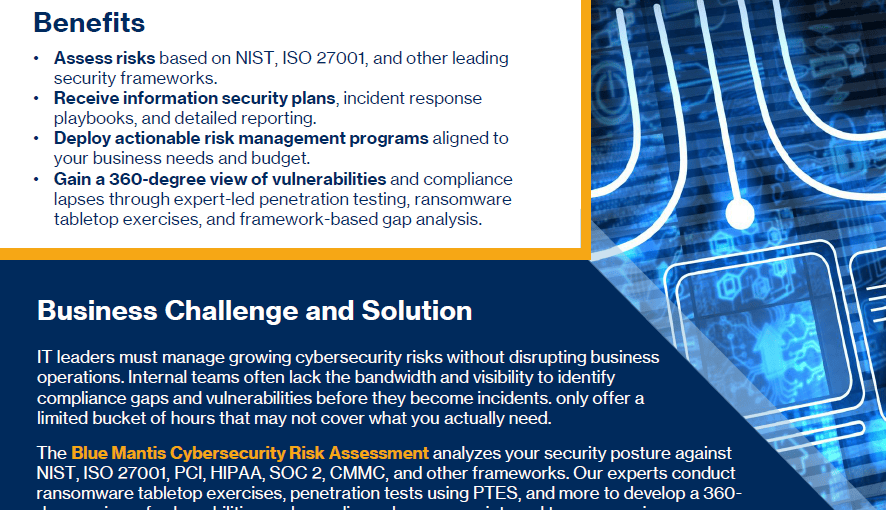
Most IT teams lack the bandwidth to consistently identify and remediate the configuration gaps that create the most exposure.

Blog
This is not alarmism. It is a description of a gap that is now quantifiable, sourced, and closing in the wrong direction.